

Your Personal
Digital Fortress
Join the community and secure your digital life today.
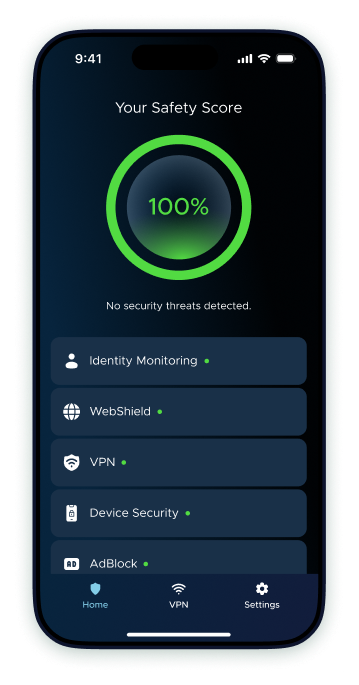
One tap to scan, identify, and fix all security gaps on your device. Powered by AI, designed for your peace of mind.
Is Your Privacy Under Threat?
Hackers, trackers, and unsecured VPN targets your data every day. Most users are only 30% protected without even knowing it.


From At-Risk To Fully Protected In Seconds
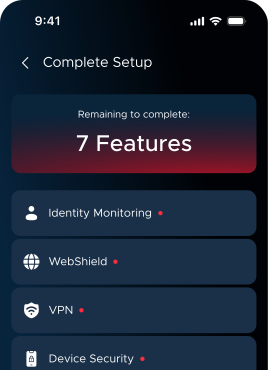
Steps
1
Auto-Scan
The app instantly audits your current security level.
2
Identify Gaps
See exactly which features need your attention first.
3
One-Tap Fortification
Hit "Complete Setup" to activate total defense.
FAQ
SafeCore protects your phone with real-time threat monitoring, detecting malware, suspicious activity, and unsafe networks. It scans apps and files, blocks harmful content, and alerts you to risks. The app also improves device security by checking your OS version and passcode, and includes features like VPN, ad blocker, and WebShield for safe browsing. It protects your data with SMS filtering, email leak detection, and privacy safeguards, while also monitoring battery health.
Yes, SafeCore Security App is safe to use. It is designed with strong privacy and security standards to protect your device and personal data. The app does not access sensitive information without your permission and uses secure technologies to ensure your data remains protected at all times.
SafeCore offers both free and premium features. You can use basic protection tools without a subscription, but some advanced features may require a paid plan or subscription to unlock full functionality.
You can cancel your subscription at any time through the platform where you purchased it (such as the App Store or your payment provider). After cancellation, you’ll continue to have access to premium features until the end of the billing period, and no further charges will be made.
To request a refund, you should contact the platform where you made the purchase (such as the App Store) or the SafeCore support team, depending on how you subscribed. Most refunds are handled directly through the store’s refund system or by the app developer. Keep in mind that refund eligibility and processing times may vary based on the platform, your location, and how long the app has been used.
Get In Touch
We'd love to talk about how we can help you.